










Product photo sample readiness for ecommerce shoes means that one identified physical sample, one required shot list, one appearance-reference method, one delivery package, and one approval record agree. Attractive images alone are not readiness evidence.
Use the PHOTO-LOCK record: Physical sample, Hardware and setup, Required outputs, Tone and color reference, Ownership and version, Listing file package, and Known change triggers. Every pass should name the sample ID, colorway, size, image-set revision, responsible approvers, open deviations, and release scope.
This checklist controls the handoff between footwear sampling, product photography, ecommerce operations, and production. It does not prescribe one marketplace’s pixel dimensions, promise screen-to-product identity, or treat a photographed development sample as approval for later bulk output.
What makes a shoe image set ready for release?
Approve the image set only when another reviewer can trace every visible product detail back to the correct physical sample and repeat the comparison under stated conditions. The buyer decision is therefore release, revise, or hold—not simply whether the photographs look polished.
Key takeaways
- A polished image is not release evidence until its sample ID, specification revision, shot manifest, and approval scope agree.
- Color and finish comments need a named physical reference and stated viewing method; an unidentified screen view is a hold condition.
- Approval belongs to a specific file-set revision and channel scope, and must reopen when a relevant product, studio, processing, or delivery input changes.
For color and surface review, state the viewing environment instead of relying on an unnamed monitor. ISO 3664:2025 addresses controlled viewing conditions for evaluating images, prints, and reference objects. It supports recording the comparison condition; it does not supply a universal footwear color tolerance or make a monitor an approval instrument.
Method evolution: a contact sheet or shared folder can show selected angles, but it cannot by itself govern channel variants, asset IDs, master-to-derivative relationships, color-management context, or later change triggers. PHOTO-LOCK separates those controls so a later reviewer can tell which physical sample, delivery package, and release scope were actually approved.
| PHOTO-LOCK check | Evidence to request | Hold condition | Buyer action |
|---|---|---|---|
| Physical sample identity | Sample ID, tech-pack revision, colorway, size, date, and marked reference photos | Images cannot be matched to the sample currently under review | Hold approval and reconcile identifiers |
| Shot-list coverage | Required views, detail crops, pair orientation, packaging views, and file-status checklist | A required feature or included item has no reviewable image | Request the missing output before release |
| Appearance reference | Named physical reference, viewing condition, capture notes, and allowed retouching record | Color or finish acceptance depends on an undocumented screen view | Repeat the comparison under agreed conditions |
Version and scope control: the sign-off must also name the image-set revision, approver, date, open deviations, and released channels or markets. A pass without an accountable owner, version, and defined scope returns to review.
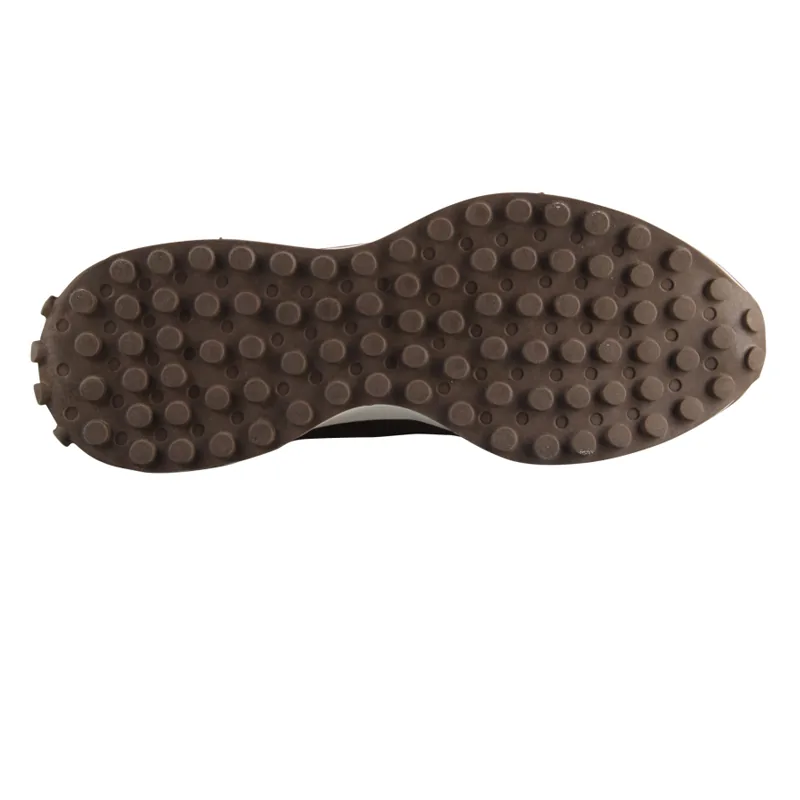
At the factory handoff, ask the supplier’s sampling or production owner to place the approved image-set ID beside the physical sample and current specification record. This simple inspection exposes a common control gap: the ecommerce team and production team may each hold a valid-looking file that refers to a different revision.
KEYTOP workflow context: the approved company baseline plans samples in 7–15 days only after usable specifications are confirmed, while standard production planning starts after specifications, sample approval, material assumptions, packaging, and the production slot are aligned. PHOTO-LOCK uses that real handoff boundary: the photographed sample and released file set must point to the same approved input before later production planning. These are company planning baselines, not a published claim about image-approval success rates.
Red flags: no physical sample ID; only one flattering angle; retouching that changes construction or included components; a color decision made from an unidentified display; files overwritten without revision history; or verbal approval with no recorded owner. Any one of these conditions reopens the affected check.
Which photo package matches the decision?
Choose the photo package by the decision it must support. A development record, a listing-ready asset set, and a production or reorder reference are different deliverables; one should not silently substitute for another.
- Development review requirement: prove what changed between sample rounds. Proof to request: sample IDs, marked deviations, comparison views, and the disposition for each issue. Who provides it: the supplier sample owner and buyer product owner. Risk to avoid: working images are mistaken for release assets. Follow-up: close or assign each deviation before the next round.
- Ecommerce listing requirement: prove shot-list coverage and delivery readiness. Proof to request: approved views, crops, background treatment, filenames, file versions, usage scope, and a delivered-asset manifest. Who provides it: the studio or supplier asset owner and ecommerce owner. Risk to avoid: a missing or misidentified asset delays listing or shows the wrong item. Follow-up: reconcile the manifest before channel release.
- Production and reorder requirement: preserve appearance-critical details that the factory and buyer must recognize later. Proof to request: links to the signed physical sample, material and component revisions, approved deviations, and change triggers. Who provides it: the supplier production owner and buyer approver. Risk to avoid: an old image is treated as approval for changed output. Follow-up: bind the accepted reference set to the order record.
Counterintuitive rule: the best-looking image is not necessarily the strongest approval proof. Heavy styling can obscure stitching, edge treatment, logos, material texture, included accessories, or asymmetry. Keep neutral evidence views even when the customer-facing set uses art direction.
Do not use the photo package to hide commercial assumptions. KEYTOP’s confirmed baseline MOQ is 1,000 pairs per category, with the final route confirmed by style, colorway, size run, material, packaging, and production schedule. The image-set approval should name which quoted program it belongs to; it should not imply that one photographed pair releases every colorway or order configuration.
Before shortlisting the supplier, require the package that matches the decision: development correction, listing release, or production reference. Use OEM and ODM footwear manufacturing to bind the chosen package to the sample brief. If the owner cannot explain which package is being approved, return the brief rather than accepting a mixed-purpose folder.
PHOTO-LOCK review
Bring the sample ID, required image manifest, appearance-reference method, file revision, and approval owners into one release review.
What belongs in the photo RFQ?
Put PHOTO-LOCK inputs into the RFQ before the sample is booked for photography. This makes the supplier, studio, ecommerce team, and approver quote and schedule the same deliverable.
Use the GS1 Product Image Specification as an industry reference for product-image types and digital asset conventions. It does not replace the buyer’s marketplace-specific shot list, crop rules, or approval scope; those requirements still need to be written in the project record.
- Question: Which physical baseline will be photographed? Why ask: to prevent an obsolete development sample from becoming the listing reference. Risk reduced: wrong colorway, size, construction, or packaging in the approved set. Expected answer or proof: sample ID, tech-pack or drawing revision, colorway, size, pair status, included packaging, and approved deviations. Follow-up: reconcile every identifier before booking the shoot.
- Question: Which outputs must the package contain? Why ask: to make coverage measurable before delivery. Risk reduced: missing detail, orientation, packaging, crop, or included-item views. Expected answer or proof: a buyer-owned manifest of named views, detail crops, pair and single-shoe orientations, background treatment, aspect needs, and channel deliverables. Follow-up: mark each row accepted, revised, or not applicable.
- Question: How will appearance be compared? Why ask: to make color and finish comments interpretable. Risk reduced: approval based on an unidentified screen or undisclosed retouching. Expected answer or proof: physical reference, location, lighting or viewing condition, capture setup, retouching boundary, and dispute route. Follow-up: repeat the affected comparison if the method changes.
- Question: What file package and version will be delivered? Why ask: to distinguish masters, derivatives, and replacements. Risk reduced: upload of an outdated or unidentified file. Expected answer or proof: formats, color space, filenames or asset IDs, master relationships, metadata owner, manifest, archive, and image-set revision. Follow-up: open representative files and reconcile the manifest.
Approval ownership. Name the product, creative, ecommerce, and supplier owners; the image-set revision; open-deviation owner; and released channels. A verbal or partial pass must remain on hold until every required owner records a scoped decision.
Change triggers. List which material, component, logo, packaging, construction, studio, retouching, or channel changes reopen approval. Route each trigger to its affected PHOTO-LOCK control and retain the new disposition.
If color profiles are part of the delivery, record them without overstating what they prove. The International Color Consortium’s profile guidance explains that profiles communicate device color characteristics for color management. A profile adds interpretation context; it does not by itself prove that a screen rendering matches the physical shoe.
Ask the supplier to price any extra sample preparation, packaging setup, reshoot, retouching, or derivative-file work separately. Then use the OEM and ODM specification support route to align the photo brief with the sample and production record before approval.
How should the image package move through approval?
Run PHOTO-LOCK as a controlled handoff, not as a folder review. The record below lets each owner see what is fixed, what remains open, and which change would invalidate the current pass.
Decision criteria to confirm
Release only when the physical baseline, required outputs, appearance method, accountable version, and file package point to the same approval scope. A missing owner or conflicting identifier is a hold, even if the individual images appear complete.
| PHOTO-LOCK stage | Record field | Verification method | Release evidence |
|---|---|---|---|
| Physical sample | Sample, drawing, material, colorway, size, and deviation IDs | Match labels and records to the shoe in hand | Signed baseline with unresolved items listed |
| Hardware and setup | Camera, lens, lighting, background, viewing, and capture notes | Review the setup sheet and one unambiguous reference frame | Repeatable setup record or stated limitation |
| Required outputs | Shot ID, angle, detail, orientation, packaging, crop, and channel | Check every row against the delivered manifest | Complete manifest with pass, revise, or not-applicable status |
Complete the remaining controls outside the table: record the physical reference, viewing condition, file profile, and retouching note; bind the set revision to named approvers, decision date, open items, and released scope; then open representative masters and derivatives and reconcile their filenames, formats, counts, archive location, and usage rights against the manifest.
RFQ details to send
First-party ledger method: record sample round, request and delivery dates, reshoot reason, required assets, accepted assets, reopened assets, approver turnaround, open deviations, and release date. Calculate first-pass coverage as assets accepted on first review divided by applicable required assets; calculate reopen share as reopened assets divided by closed assets; calculate approval cycle time from usable package receipt to recorded release. KEYTOP has not published an aggregated product-photo dataset here, so these are reproducible fields and formulas—not invented benchmark results.
Production handoff details
Reopen PHOTO-LOCK when an appearance or delivery input changes:
- Product or packaging change: reopen the physical baseline, affected shots, appearance reference, and version; require the new sample or approved change record plus replacement images.
- Studio or processing change: reopen setup, tone/color, and affected derivatives; require the updated setup sheet and controlled comparison.
- Channel requirement change: reopen required outputs, package manifest, and approval scope; require the updated channel brief and complete derivative set.
- Production mismatch: reopen the physical baseline, appearance, ownership, and change disposition; require a buyer decision on correction, deviation, or a new photo set.
After the ledger is complete, use the ecommerce footwear sourcing workflow to connect image approval with sample, packaging, and order handoff.
What should buyers ask the supplier or studio?
Ask for inspectable records, not assurances. A supplier or studio is ready to own the handoff only when its answers identify the evidence, accountable role, and stop condition.
- How will every image be tied to the exact physical sample? Expect a sample ID, revision, colorway, size, date, and image-set ID. Hold approval if the identifiers conflict.
- Who owns the shot-list manifest and completeness check? Expect one role to record delivered, revised, accepted, rejected, and not-applicable outputs. A folder count is not a coverage check.
- How are color and finish comparisons documented? Expect a named physical reference, stated condition, profile or file context where relevant, and a route for disputed observations. Reject “looks right on our screen” as the only proof.
- Which edits are permitted, and how are they disclosed? Expect a retouching boundary that distinguishes cleanup from changes to product geometry, material texture, logos, construction, accessories, or packaging.
Version control: require asset IDs, a master/derivative manifest, revision history, and a retrievable archive. Silent file replacement after sign-off is a release hold.
Reapproval control: require a written product-and-channel trigger list with a named approver. If the supplier carries every old approval forward automatically, return the change-control plan for correction.
Record each answer in the RFQ and assign the missing evidence to an owner. Then decide whether to shortlist, request a corrected sample or image set, or stop the release.
For product photo sample readiness ecommerce shoes, use private label footwear programs to align the product baseline, sample evidence, packing record, and quote owner before order release.
Conclusion: release the same evidence to ecommerce and production
A product photo sample is ready when PHOTO-LOCK creates one traceable line from the physical shoe and specification revision to the required images, appearance method, file package, accountable approval, and change controls. If the sample ID, specification revision, shot manifest, comparison condition, file revision, or approval scope is missing, the correct decision is hold or revise—not an informal pass.
Keep the evidence set even after listing release. It becomes the reference for correcting assets, explaining approved deviations, checking production or reorder changes, and deciding whether a later product or channel change requires new photography. Send the completed record with the RFQ so the supplier and ecommerce team can price, schedule, and approve the same deliverable.
Ecommerce shoe photo FAQ
Can a supplier photo approve the physical shoe’s color?
Not by itself. A file is an interpretation produced through capture, processing, display, and viewing conditions. Use the identified physical sample as the product reference, record the comparison method and conditions, and document any accepted deviation. If the decision is color-critical, the buyer should define the appropriate reference and acceptance process for that project.
Which views belong in an ecommerce shoe photo package?
There is no universal list that fits every marketplace and product. Build a channel-specific manifest covering the required orientations plus buyer-critical construction, materials, logos, pair consistency, packaging, and included items. A required shot is ready only when it has an asset ID, review status, and approval scope.
When must the shoe be photographed again?
Reopen the affected PHOTO-LOCK checks after a visible product, included-item, packaging, studio, retouching, channel, crop, or file-delivery change. A full reshoot may not be necessary for every change, but the owner must record why the existing evidence still applies or which assets were replaced.
RFQ handoff: Send the physical sample ID, image shot list, color-reference method, file package, and approval owners for a production-readiness review. Send Specs for Review.